PES 2017 Patch 2026
How To Install
Install PES 2017 Non Preinstalled
1. Extract patch
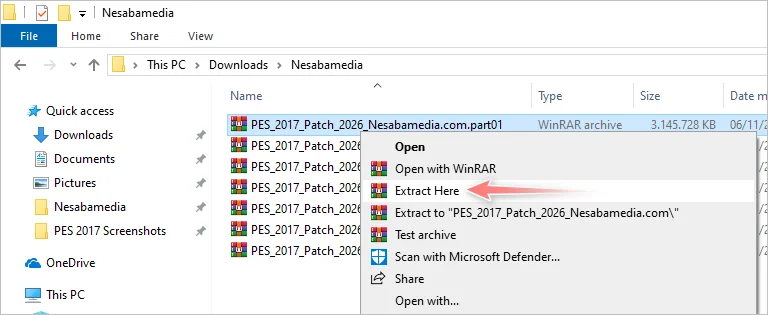
Extract the patch by collecting all the RAR archive files in one folder, then right-click on one of the files, select Extract Here, type nesabamedia.com in the password field, then click OK.
2. Copy to Documents
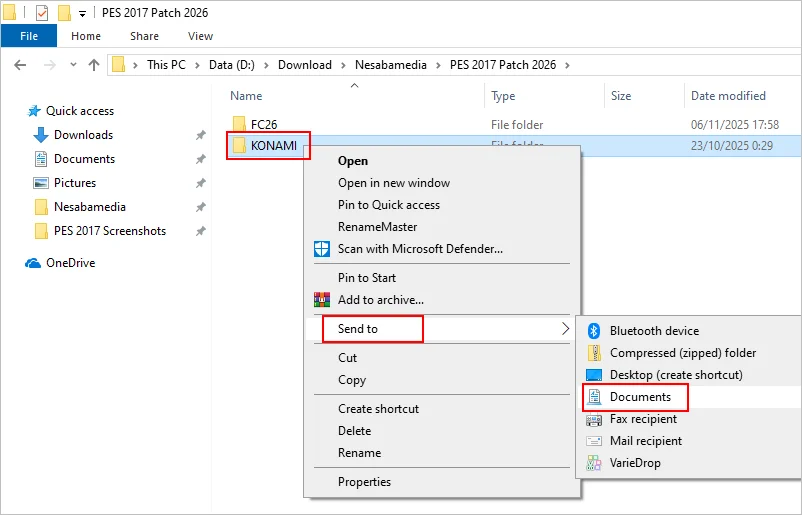
Open the newly extracted folder, then right-click on the KONAMI folder and select Send to > Documents. If a confirmation window appears to confirm the file overwriting, click Replace the file in the destination.
Notes
Winlator you can copy/paste /FC26/KONAMI to /Documents/KONAMI
3. copy all patch files
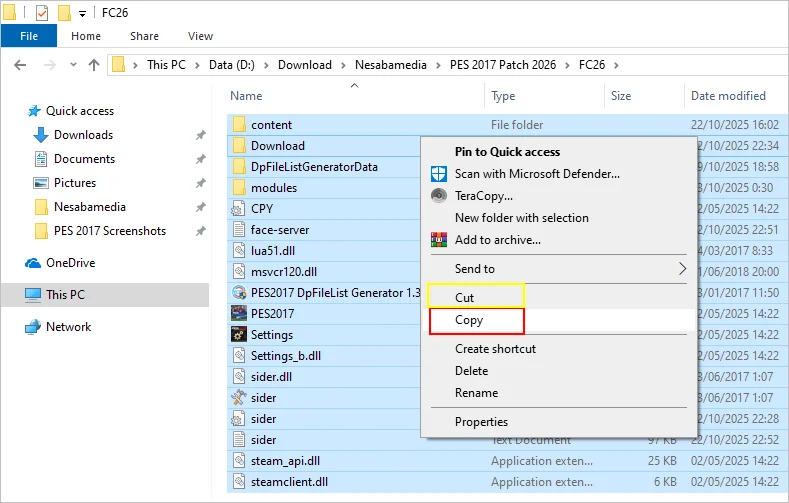
Buka folder FC26, lalu salin semua file didalamnya. Kalau sisa kapasitas harddisk kamu sudah mepet, pilih Cut saja di dalam menu klik-kanan.
4. Delete PES files
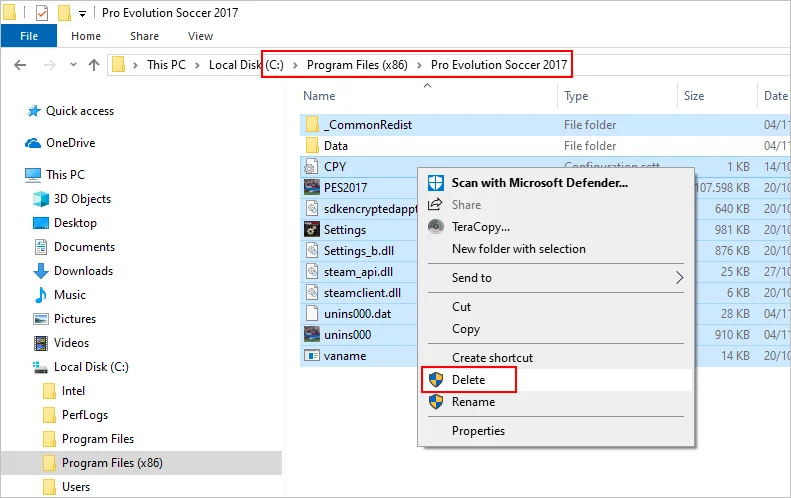
Open the PES 2017 installation folder and delete all files and folders inside EXCEPT the Data folder. If in doubt, move all files and folders EXCEPT the Data folder to another backup location.
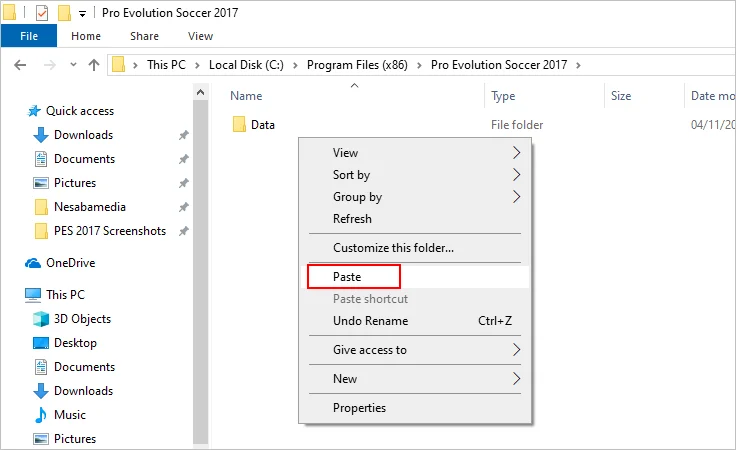
5. paste all files
Paste all the files you copied in step number 3 above.
6. PES file replacement confirmation
Check Do this for all current items then click Continue.

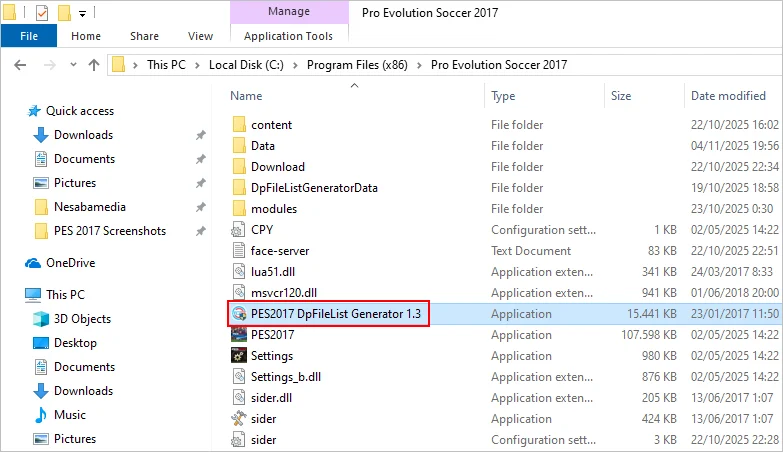
7. Run dpfilelist generator
Double click on the PES2017 DpFileList Generator 1.3 file to run it.
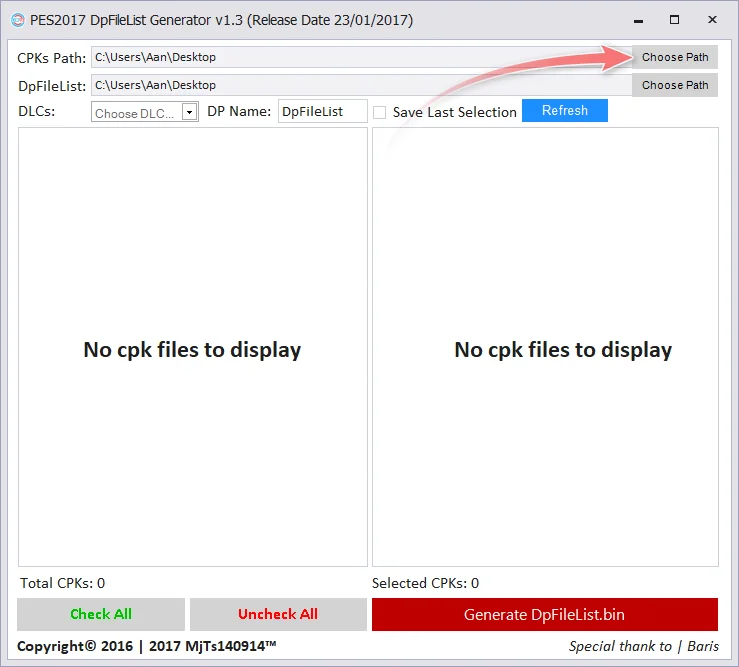
8. dpfilelist generator window
Click the Choose Path button.
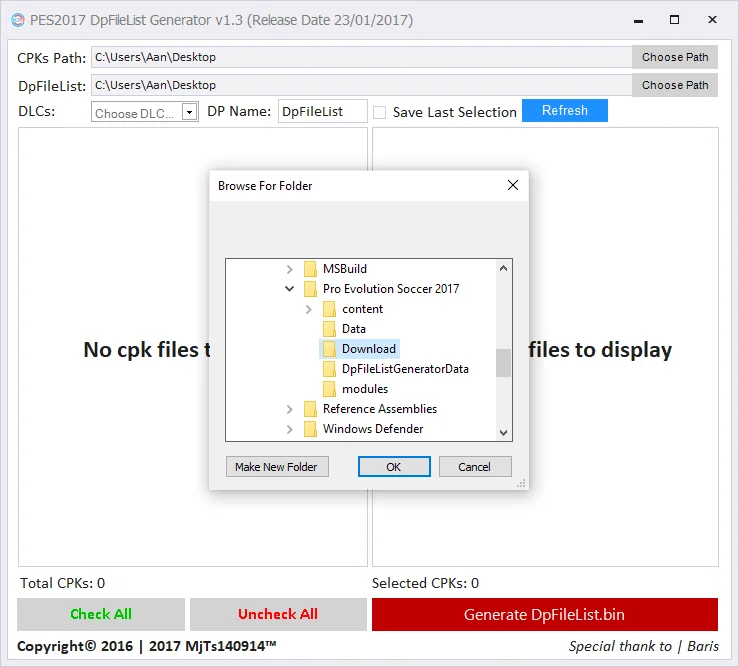
9. Navigate to the Download folder
Locate and open the PES 2017 installation folder, highlight/select the Download folder, and click the OK button. The installation folder is located at C:\Program Files (x86)\Pro Evolution Soccer 2017 or C:\Program Files\Pro Evolution Soccer 2017
10. List file cpk
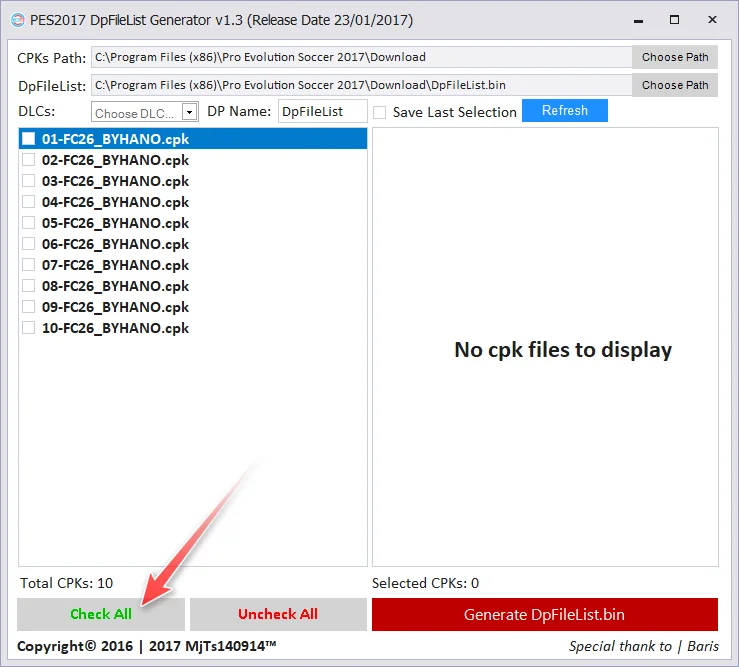
If the cpk list appears in the left panel, click the Check All button.
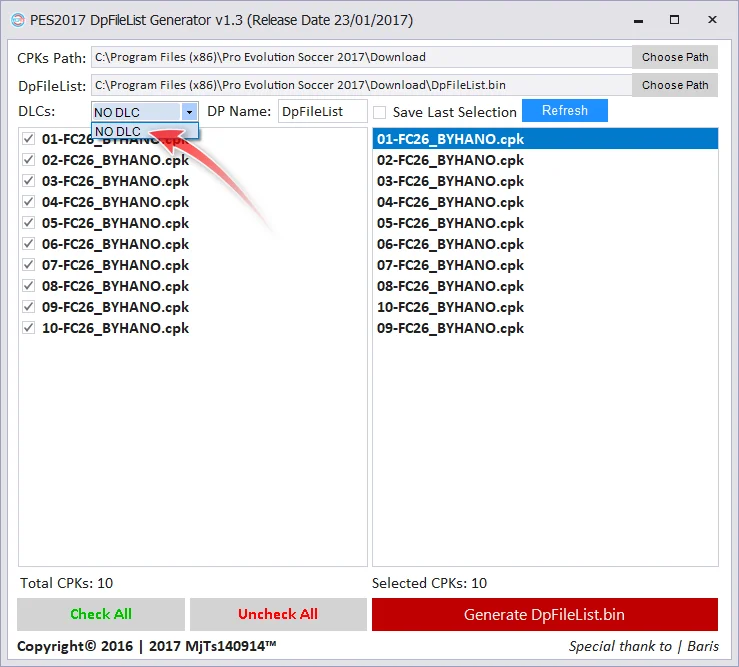
11. Select no DLC
Once the cpk list appears in the right panel, click the DLCs menu button and select NO DLC.
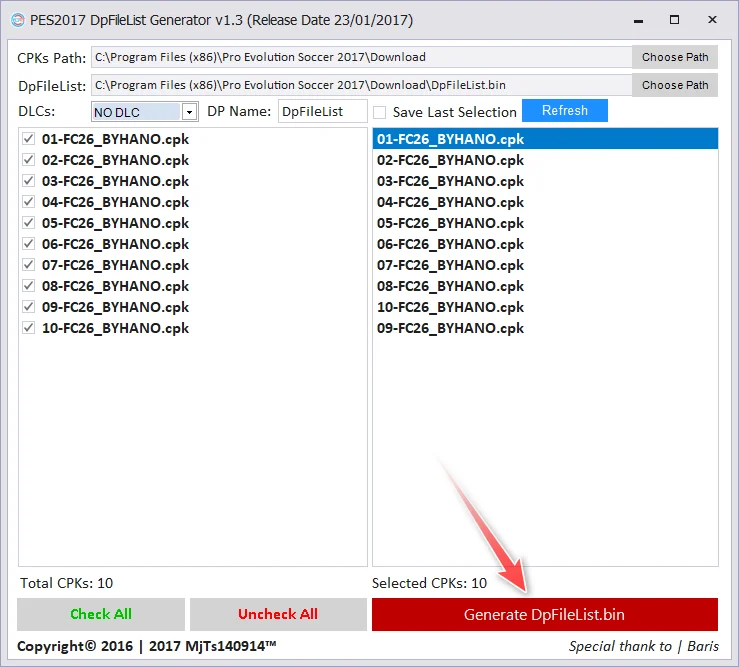
12. Make dpfilelist.bin
Click the Generate DpFileList.bin button, then click OK in the window that appears next, and finish by closing the DpFileList Generator window.
13. play PES 2017 with the 2026 season patch
To play the patched PES 2017, double-click on the PES2017 file.

Download Link
Pes 2017 Original
Notes : download non preinstalled
PATCH 2026 + OptionsFile + DpFileList (real size 41 GB)
Usually the file is in the form of zip, rar, 7z, iso so it is long, extract/mount it using ZArchiver or WinRAR or other extractor applications.
Game Details
- Publisher Konami
- Developer PES Productions
- Release Date 2016
- API DirectX 9.0c
- File Size 10 GB
-
Genre/Tags
Sports Simulation